iPhone
Built in SwiftUI with Apple’s own frameworks. Requires iOS 17 or later.
PocketScan turns paper into clean PDFs and JPEGs. It’s free, with no account, no watermark and no cloud: every page stays on your phone.
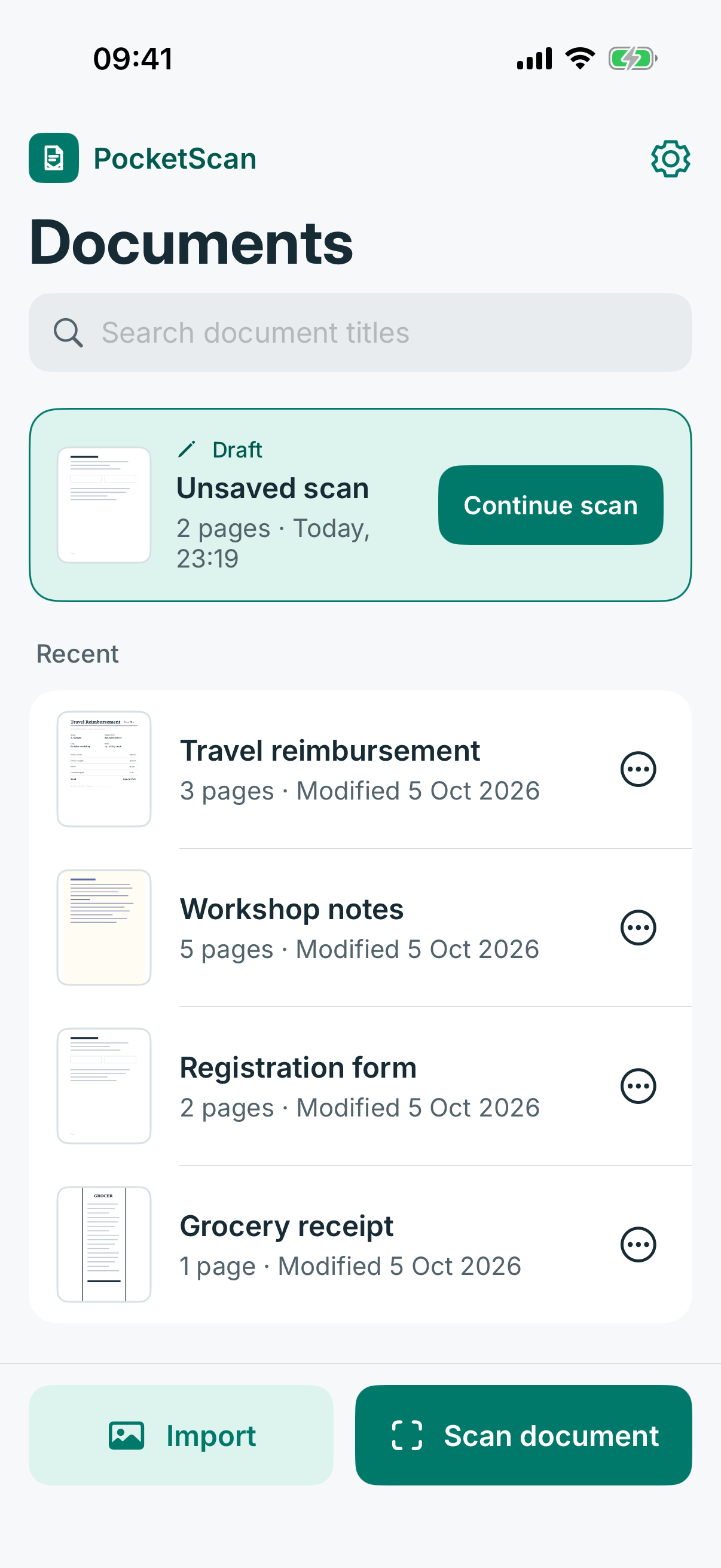
Scan pages with the camera, guided by live edge detection, or import photos you already have.
Auto crop straightens each page. Adjust the corners, pick a look and set the contrast.
Name your document, then export a PDF or JPEG to share or save a copy anywhere.
Hold your phone over a page and PocketScan finds its edges while you frame it. Capture as many pages as you need, or import photos you already have.
Scanned pages are cropped and straightened as you shoot. Fine-tune any corner with a drag or a tap, zoom in, then choose a look and set the contrast. Try it here.
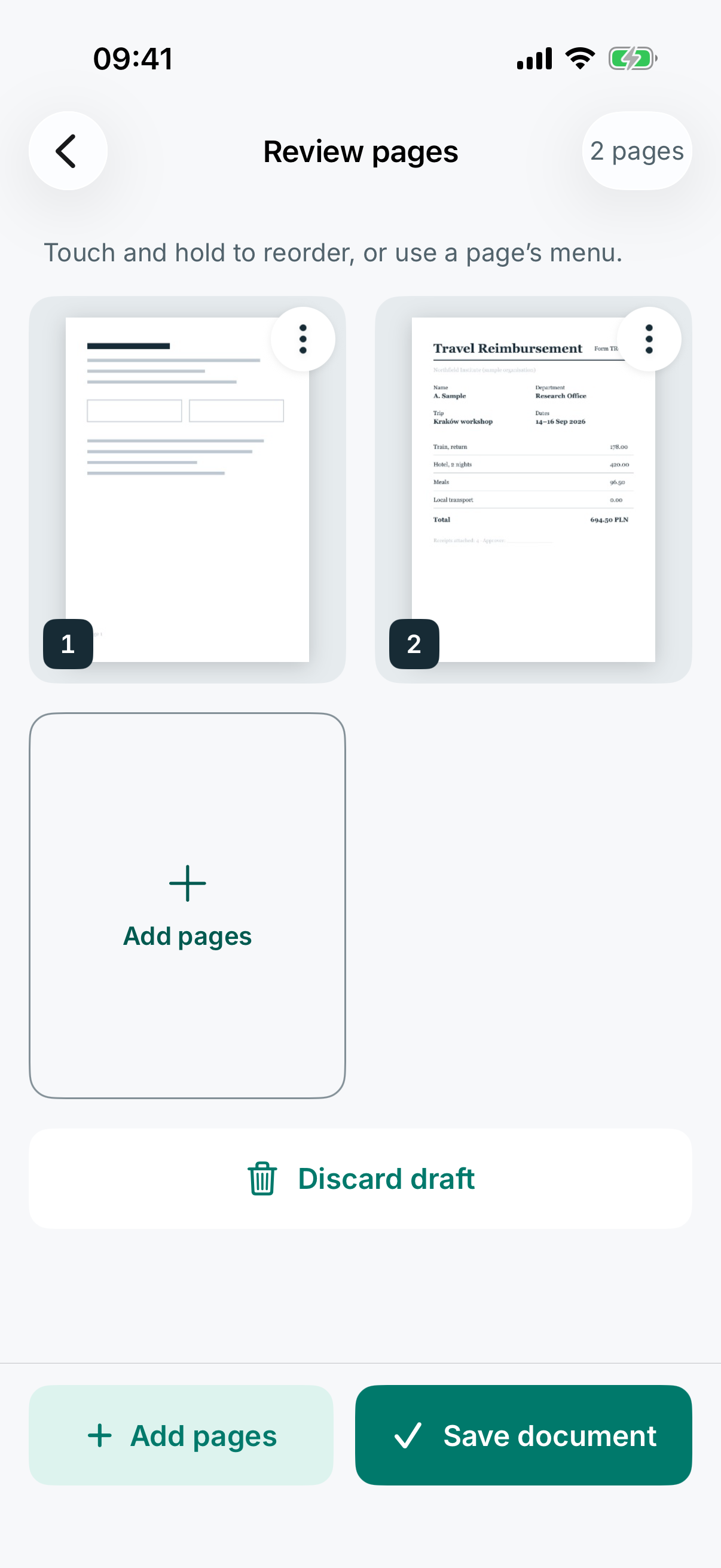
Multipage drafts are saved as you go. Drag to reorder, rotate or move pages, and remove one without worry: Undo brings it back, even after you restart the app.
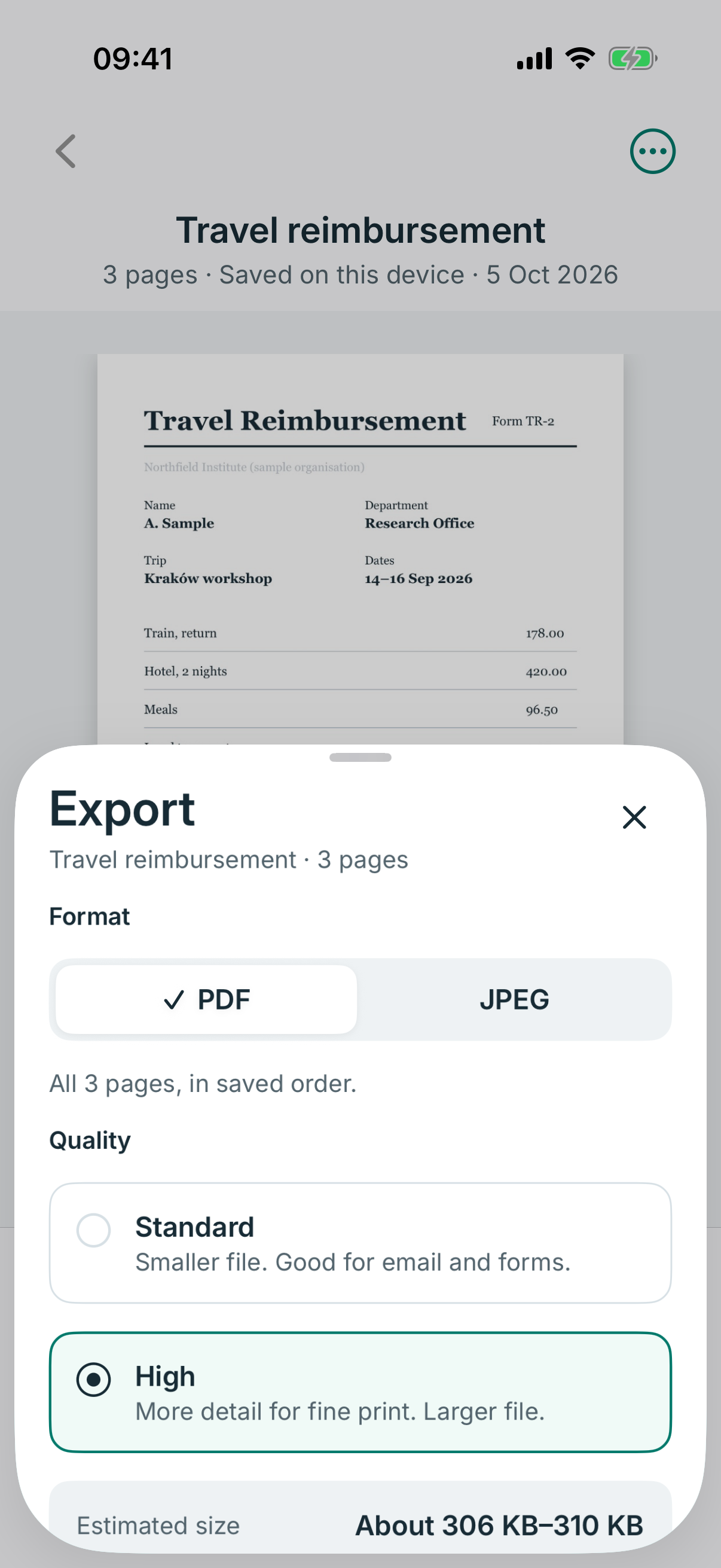
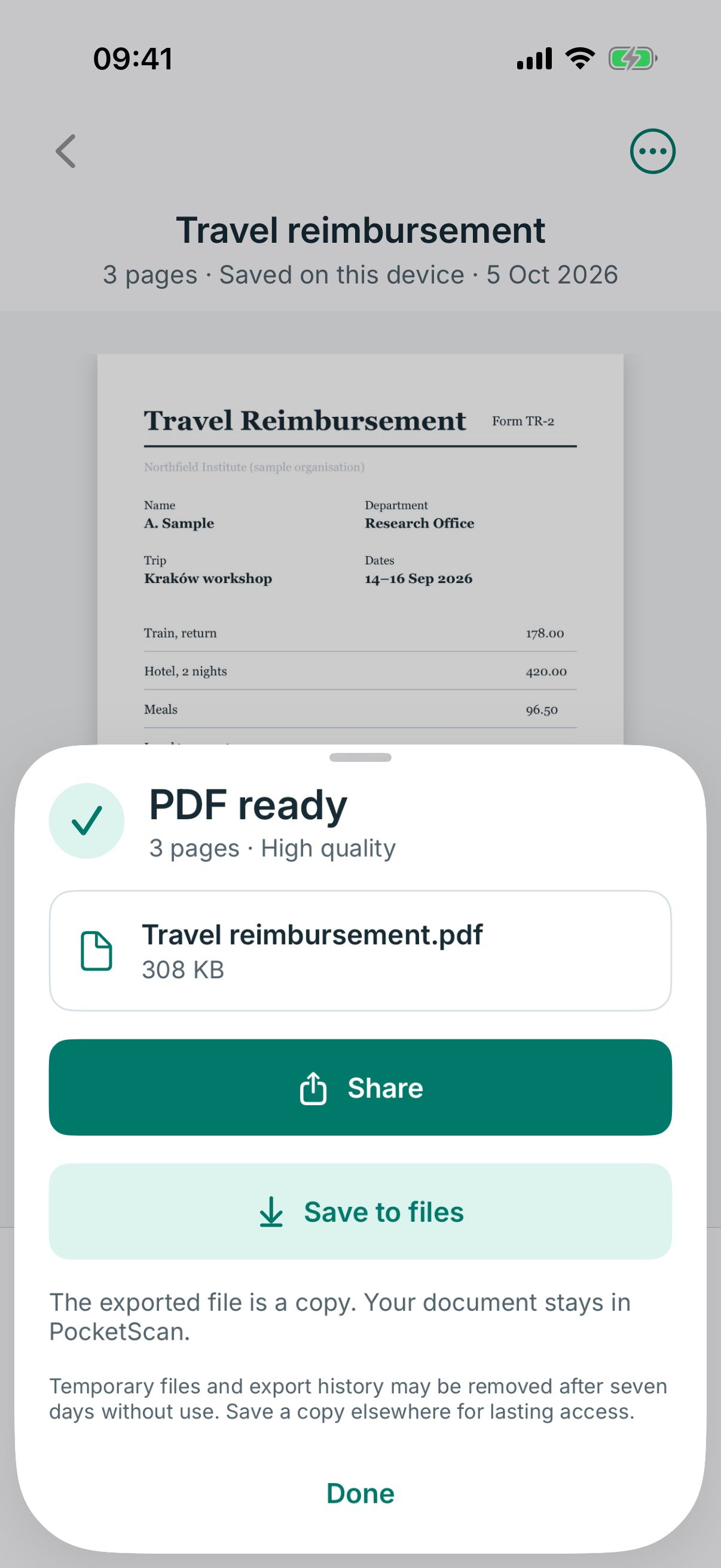
Export a multipage PDF or a single-page JPEG. See an estimated size before you create the file and the actual size after, then share it or save it to Files.
Every document has a name. Search titles as you type, and rename or delete in a tap.
Pages and edits are kept as you work. Unfinished scans are offered back when you return.
Removed the wrong page? Undo brings it back with its edits, even after a restart.
Editing a saved document works on a copy. Keep both with “Save as new document”.
Files are made with progress, cancel and retry, and resume if the app is stopped.
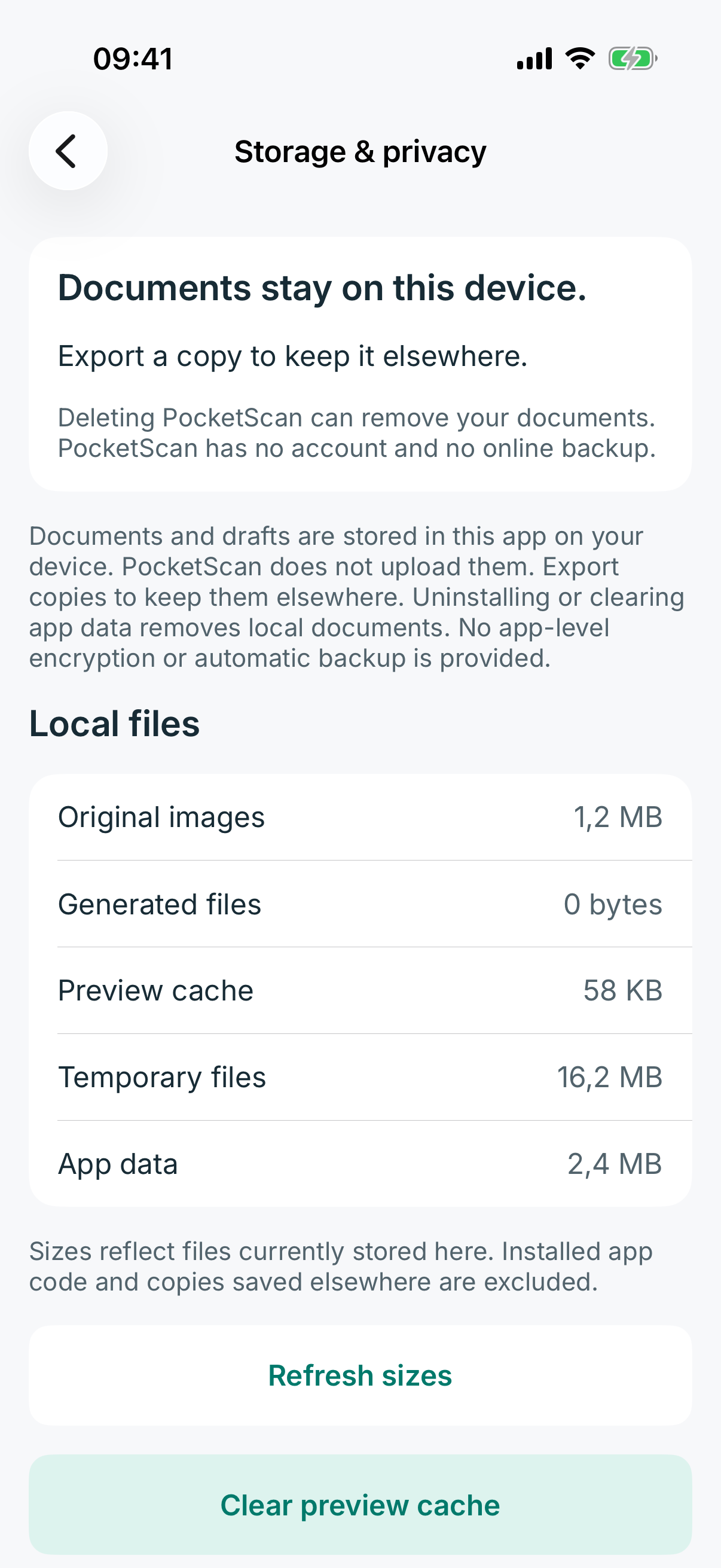
Storage & privacy shows what PocketScan keeps on your phone and lets you clear previews.
PocketScan has no account, no servers and no internet access. Every scan is processed and stored on your device. That isn’t a setting you have to find. It’s how the app is built.
No cloud also means no automatic backup. Export a copy of anything important and keep it somewhere you trust.Read the privacy policy
The same features and the same look, built with each platform’s own tools so every gesture, sheet and menu feels the way your phone expects.
Built in SwiftUI with Apple’s own frameworks. Requires iOS 17 or later.
Built with Jetpack Compose and Material design. Requires Android 8.0 or later.
Yes. PocketScan is free to use, with no account to create and no watermark on your files.
No. PocketScan has no account, no servers and no internet access. Scans are processed and stored only in the app on your phone. A file leaves your device only when you share it or save a copy somewhere yourself.
They are removed with it. PocketScan keeps your documents out of device and cloud backups, so there is no copy elsewhere unless you export one. Save copies of important documents to Files, your computer or another place you trust, and open them once to check them.
Yes. Import still JPEG, PNG or WebP images from your photo library. iPhone HEIC photos come in as JPEG automatically. Animated images and existing PDFs aren’t supported.
A multipage PDF with every page in order, or a JPEG of a single page. Choose Standard (2000 px, smaller files for email and forms) or High (3200 px, for fine print). PocketScan estimates the size before you export and shows the real size afterwards.
Not yet. Copying printed text from your scans is on our roadmap.
iPhone with iOS 17 or later, and Android phones with Android 8.0 or later.
Soon. PocketScan is in final testing and will launch on the App Store and Google Play.
PocketScan is coming soon to iPhone and Android.